


Five-Card Omaha (PLO5): The New Trend Taking Over Poker Tables
In poker rooms and online sites around the world, five-card Omaha, or PLO5, is increasing in popularity. This variant of


What To Do When Your Poker Site Freezes

Technical issues during online poker games are one of the most frustrating things to deal with as a player. They’re impossible to predict and often result in you losing whatever pot you were playing. To help make these situations a little more manageable, our experts have created a response protocol that you can follow when these glitches occur, and highlighted the steps you can take after the issue occurs to get compensation from the poker site.
Before we dive into what you should do during a technical issue, it’s important to understand what they are and how they affect your game. These real-time software malfunctions are any issue that interrupts active gameplay, affecting betting actions, card dealing, or table display. Technical freezes can stem from server communication delays, client-side software crashes, or connection instability.
Here are some of the most common issues that can affect online poker platforms during gameplay:
● Betting Action Freezes: When the interface locks after clicking the bet, raise, or fold buttons. For example, you click "Raise," and the button highlights, but the action doesn’t process, so you’re unable to act while the timer counts down.
● Card Dealing Interruptions: Freezes occur when community cards should appear but don't. The table freezes in this state and you cannot see what the cards are.
● Complete Table Lockup: The entire table interface becomes unresponsive—no buttons work, chat freezes, and player avatars stop updating, clicking on the table will usually cause it to start “Not Responding.”
● Disconnection During Action: A Sudden loss of connection while you have a pending decision. You’ll see a “trying to reconnect” pop-up appear, your status is changed to “Sitting Out,”, and sites handle your hand until you can reconnect.
● Visual Display Errors: Situations where cards display incorrectly, pot sizes show wrong amounts, or player positions appear scrambled.
● Timer Malfunctions: When the action timer freezes or displays incorrectly, making it unclear how much time you have to act.
When your poker software freezes mid-hand, every second counts, and how you respond can mean the difference between losing a pot due to timeout and successfully reconnecting to complete your hand. We understand that it’s easy to get flustered when this happens, so our experts have created a step-by-step protocol that you can follow along with at home.
We’ve ordered the steps by priority and effectiveness based on the most common freezing issues experienced by our experts at online poker sites. Try to work through them as quickly as you can, as most poker sites only give you 30-90 seconds to act before automatically folding your hand.
1. Check Your Internet Connection: Immediately verify that other websites or applications are working; open a new browser tab and load a simple website like Google as a quick test. If nothing loads, the problem is your connection, not the poker site.
2. Refresh the Poker Client : For browser-based players, hit F5 on your keyboard or click refresh to restart the poker client. Modern poker sites store your hand state and will return you to the table mid-hand if you refresh quickly enough.
3. Check for Error Messages : Look for any pop-up notifications, error codes, or warning messages on your screen that can help you identify the issue. Screenshot these immediately if possible, as they’ll be useful when logging a ticket with support.
4. Attempt an Alternative Login : If refresh fails, try logging in through a different method; for example, if you were using a browser, try the mobile app, or vice versa.
5. Clear Your Browser Cache (If Browser-Based) : Press Ctrl+Shift+Delete (Windows) or Cmd+Shift+Delete (Mac) and clear cached images and files before refreshing the page.
6. Restart the Poker Client : Alternatively, if you’re using a standard poker client, force-quit the application and relaunch the program. The site will reconnect you to your active hand automatically once you’ve logged in.
7. Switch Networks (If Possible) : If using WiFi, try switching to mobile data via hotspot, or vice versa.
Expert Note: While executing these steps, mentally note or quickly write down things like the exact time of the freeze, the hand number, the pot size, your cards, your position, and any error messages.
If all troubleshooting fails and you cannot reconnect before the hand completes, most sites will “sit you out,” then check or fold your hand, depending on whether or not you’re facing a bet. If you were all in before the issue occurred, your hand will be automatically shown down.
Immediately after the freeze, we recommend that you try and document everything you can. Screenshot your hand history, note the exact time, and take down any table details that you can see or remember. If you’re able to reconnect after the fact, you can usually access your hand histories to get information like the hand number. Here’s a brief checklist of things you should note down if you want to report the issue to support:
● A screenshot of the freeze point.
● The time that your issue occurred.
● The hand number and full hand history, including the final outcome.
● Any error messages you saw during the issue.
If you face continued issues, we recommend that you stop playing to avoid tilting. If you’re in a tournament, try to speak to support immediately, and do what you can to mitigate the issues you’re experiencing.
![Example of a properly documented hand history showing a disconnect/freeze incident]
Depending on their specific policies, some sites may offer compensation in the event of a technical issue. The best way to get your money back is to contact support and present evidence of your issue.
For the best chance of a positive outcome, we recommend that you submit your ticket as quickly as possible. Most sites require you to report issues within 24-72 hours to allow them to carry out an investigation.
We suggest that you structure your support ticket using this format, as it makes it easy for the support team to understand your issue:
1. Clear Subject Line: Use format "Technical Freeze - Hand #[number] - $[amount] Pot Lost - [Date]". Example: "Technical Freeze - Hand #8472639201 - $56 Pot Lost - January 15, 2025".
2. Factual Opening Statement: Begin with one sentence summarizing what happened: "My poker client froze during Hand #8472639201 on January 15, 2025, at approximately 8:47 PM EST, causing me to time out and lose a $56 pot."
3. Detailed Timeline: Provide a chronological account of events with timestamps when possible. Include when the hand started, when the freeze occurred, what action you were attempting, and what troubleshooting steps you took.
4. Technical Environment Details: List your device type, operating system, browser/client version, internet connection type and speed, and any relevant software running.
5. Supporting Evidence: Attach all relevant documentation, including screenshots, hand histories, error messages, and connection logs. Reference these attachments by name in your ticket text.
6. Specific Request: Clearly state what resolution you're seeking; e.g., "I request a refund of $56 to my account balance, representing the pot I would have won had the technical issue not occurred."
7. Contact Preferences: Provide your preferred contact method and availability for follow-up. Include your account username, email, and any relevant account verification details.
Subject: Technical Issue - Hand # - $ Pot Lost - X/X/X
My poker client froze during Hand # on X/X/X, at approximately X:XX, causing me to time out and lose a $X pot. Here’s a brief rundown of what happened and what I tried to fix it:
**Insert Hand Details Here**
E.g. -
“8:47:23 PM - Attempted to raise $12, but the button became unresponsive.
8:47:35 PM - Refreshed browser, received error code XYZ.
8:48:10 PM - Timed out and hand was folded.”
Device:.
Please see attached screenshot 'X' showing the unresponsive interface.
I request a refund of $X to my account balance, representing the pot I would have won had the technical issue not occurred.
Please contact me at [your email] for follow-up. My account username is [your username].
Support teams usually take between 24 and 72 hours for an initial response, with a full resolution taking 5-10 days. If you receive no response within this timeframe, or an unsatisfactory response, start by making a reply to your original support ticket (this keeps everything in one place and helps you resolve your issue faster). If you still don’t hear from the support team, it’s time to escalate the issue.
Follow each of these steps one at a time:
● Reply to your ticket and request a supervisor or management review.
● File a formal complaint with the site's licensing authority .
● Post a detailed, factual account of your issue on poker forums and review sites to create a public record of the event and pressure for resolution.
● Consider small claims court or payment dispute with your deposit method for larger amounts (typically $500+).
● Report to consumer protection agencies in your jurisdiction.
The best way to deal with frozen poker site issues is to avoid them altogether, or at least minimize your exposure to technical issues. While it’s impossible to eliminate all risk, implementing these preventative measures significantly reduces your chances of losing pots to technical glitches, and positions you for faster resolution when problems do arise.
Before you deposit money and start playing at an online poker site, evaluate its technical reliability and player protection tools. Established sites with strong reputations typically have better infrastructure and more responsive support systems.
● Licensing and Regulation: Prioritize platforms licensed by reputable authorities, as these sites must maintain high technical standards and have formal complaint procedures.
● Site Age and Reputation: Research how long the site has been operating and read player reviews on independent forums. Sites operating successfully for 5+ years are generally more robust than new ones.
● Software Platform Quality: Test the site's software with play-money games before depositing. Evaluate the interface’s responsiveness, connection stability, and overall functionality.
● Disconnection Protection Policies: Review the site's terms and conditions regarding technical failures and disconnections. In our experience, the best sites clearly explain how they handle pots and any compensation when players disconnect.
● Customer Support Quality: Test the quality of your site’s customer support team before depositing by asking a simple question. Evaluate their response time, helpfulness, and communication clarity.
●
● Mobile App Reliability: If you plan to use mobile as a backup, test the app's stability on both WiFi and mobile data.
● Community Feedback: Join poker forums and social media groups to get up-to-date information from real players.
Technical Setup and Redundancy
A proper technical setup reduces the risk of freezing and provides backup options when problems occur. If you’re concerned about technical issues, we recommend that you implement these safeguards before your next poker session:
● Create a Stable Internet Connection: Use wired Ethernet instead of WiFi whenever possible, as wired connections are more stable and less prone to interference.
● Update Your Software: Regularly update your poker client, browser, operating system, and drivers, as outdated software can cause compatibility issues and crashes.
● Have an Alternative Method Ready: Install your poker client on your mobile or an alternative device so you’re ready to switch over if an issue occurs.
● Close Unnecessary Programs: Before playing, close bandwidth-heavy applications and unnecessary browser tabs.
● Use Recommended Browsers: Stick to your poker sites' recommended browsers and avoid using beta versions or obscure browsers that haven’t been fully tested with the poker client.
● Enable Connection Monitoring: Use connection monitoring tools or keep a ping test running to a reliable server to check the stability of your internet.
Expert Tip: Create a dedicated "poker profile" on your computer with minimal startup programs and optimized settings. Some professional players maintain a separate device exclusively for poker to eliminate all potential interference.
In poker rooms and online sites around the world, five-card Omaha, or PLO5, is increasing in popularity. This variant of


The New Year began with a bang this week, as the latest Legal U.S. Poker Sites Freerollers Open finale ended
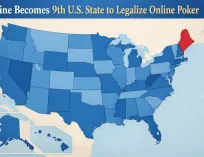
The great U.S. state of Maine has become the ninth state to legalize online poker, with the game expected to





Comments